
RoomGPT for Living Room Design: How to Redesign Your Space with AI
RoomGPT is a photo-to-photo AI tool that reimagines your existing living room in a new style in seconds. If you’re exploring AI living room design for the first time, RoomGPT is one of the simplest entry points: upload one photo of your living room, pick a theme, and get a realistic redesign back — no sketching, no design software, and according to the official RoomGPT site, over 4 million people have already used it this way.
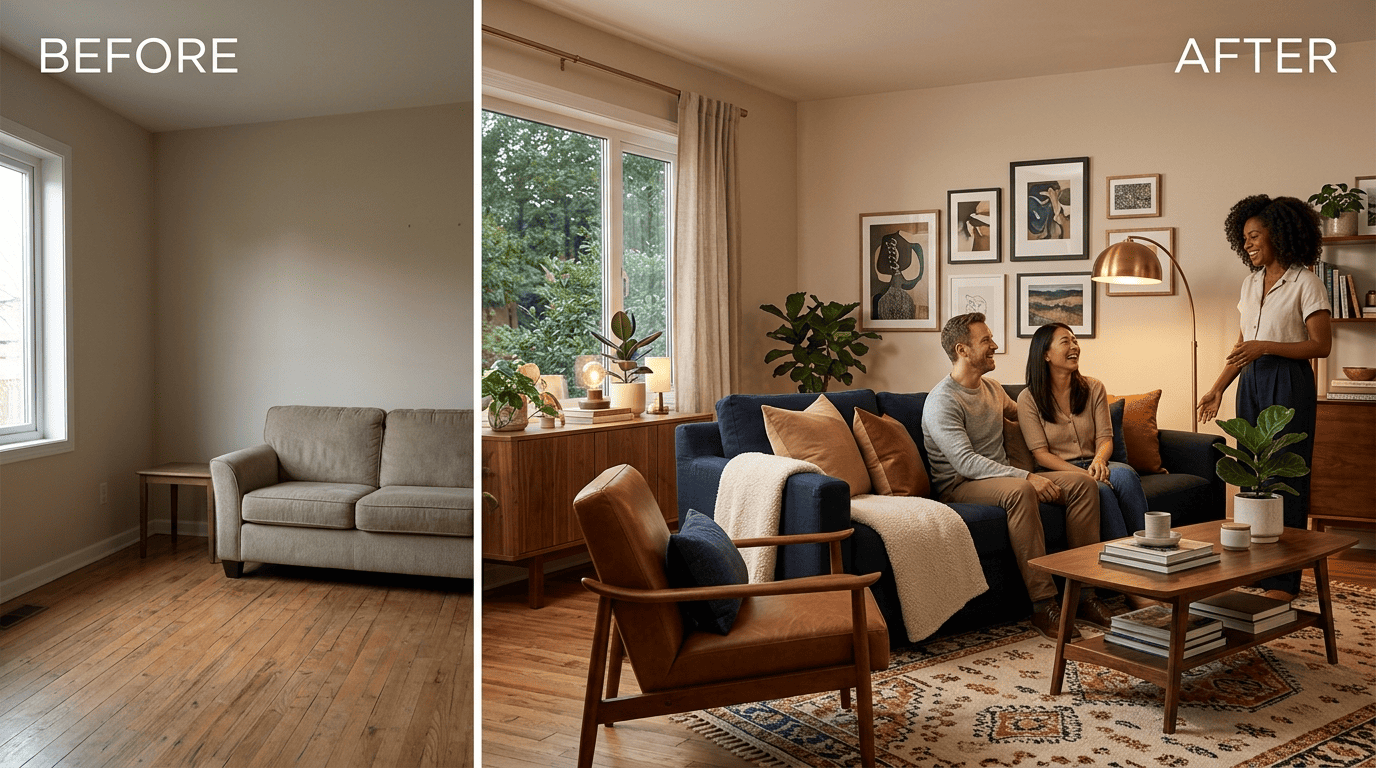
The tool was built by developer Hassan El Mghari, known online as Nutlope, who launched it in early 2023 as a side project that grew into a paid product almost overnight. Its roots are useful to know for a living room specifically: because RoomGPT was trained to preserve the structure of a room — windows, walls, layout — while swapping furniture, color, and decor, it works especially well on living rooms, which tend to have more furniture, textures, and open floor space than a bedroom or bathroom.
What Is RoomGPT and Who Built It?
The tool in one line
RoomGPT is an AI interior designer that takes a single photograph of a room and repaints it in a chosen style. Hassan El Mghari, who builds under the handle Nutlope, released it in early 2023, and the tool reportedly reached around 500,000 users in its first week online. The official site now states it has been used by over 4 million people, though third-party reviews often cite the more conservative figure of 2 million-plus.
Why it fits living rooms specifically
The living room is the most commonly redesigned room type on the platform, largely because it’s where most of a home’s furniture, zoning, and texture decisions live. As a personal AI interior designer, RoomGPT keeps the room’s actual geometry intact and changes everything layered on top of it — furniture, color palette, materials, and decor — so you can preview a new look before committing to a renovation or a furniture order.
This is incredible, you don’t need an interior designer anymore.
Ade Dada, Startup Founder, RoomGPT customer testimonial
How to Redesign Your Living Room in RoomGPT (Step by Step)
Getting from a plain photo to a styled living room takes only a few minutes. RoomGPT strips the process down to a single upload and a style pick, and most of the setup work is just making sure the photo itself is usable.
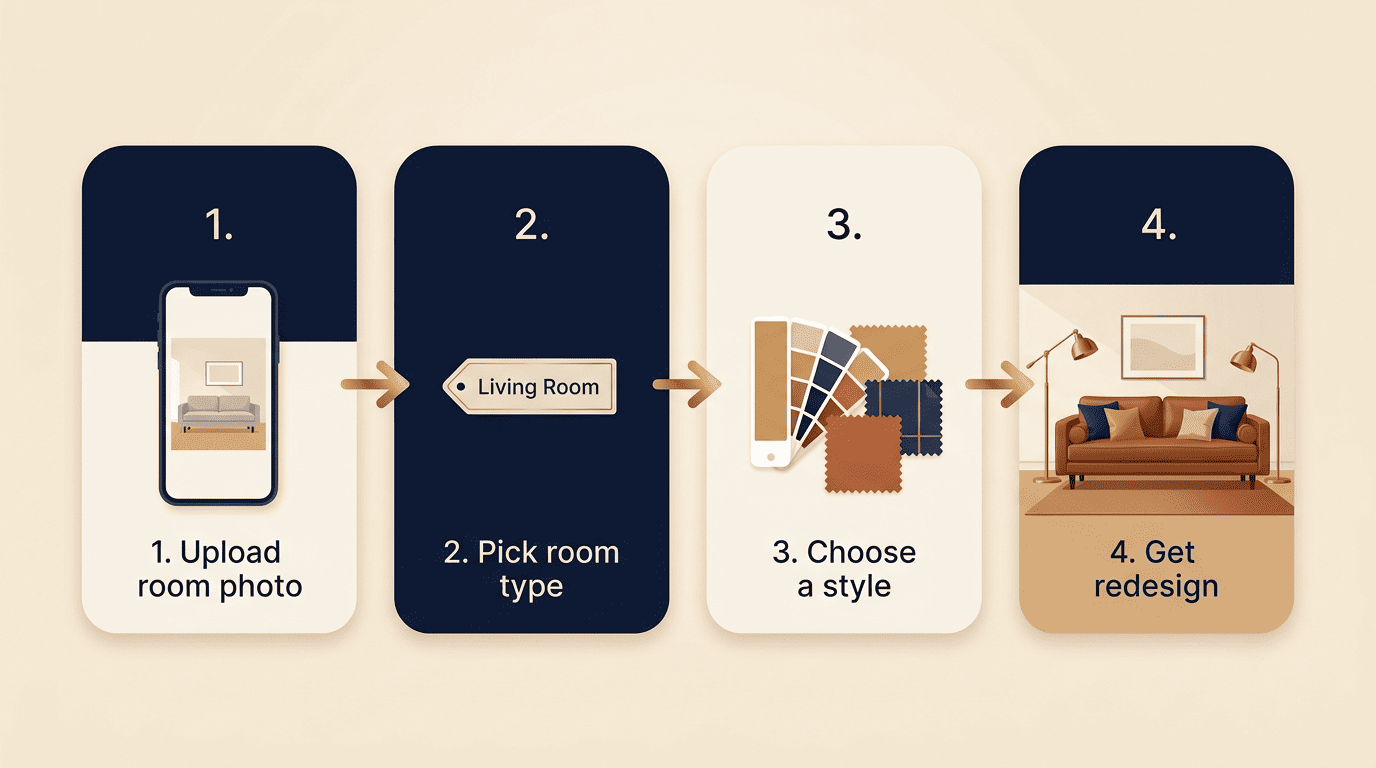
Step-by-step
- Sign in with your Google or Gmail account — this unlocks your first free credit.
- Upload a clear photo of your living room in JPG or PNG format.
- Select the room type and choose Living Room from the list.
- Pick a design theme, or select up to four styles to generate at once.
- Generate the redesign — rendering typically takes 10 to 30 seconds, though RoomGPT’s own messaging allows for up to 45 seconds under load.
- Compare the before-and-after result side by side, then save or download the image.
Tips for a better result
A few habits noticeably improve output quality on an AI room redesign tool like this one:
- Shoot in daylight rather than artificial lighting, since even lighting reduces AI misreads of shadows and edges.
- Hold the camera level and avoid steep angles that distort walls and furniture proportions.
- Frame the whole room, not just a corner, so the model has enough context to work with.
- Clear visible clutter beforehand — loose objects are the most common source of misread furniture.
- Try more than one theme on the same photo, since results vary noticeably between styles.
Themes and Room Types RoomGPT Supports
RoomGPT’s style library is built around broad interior design movements rather than niche aesthetics, which keeps the tool approachable for people with no design background.
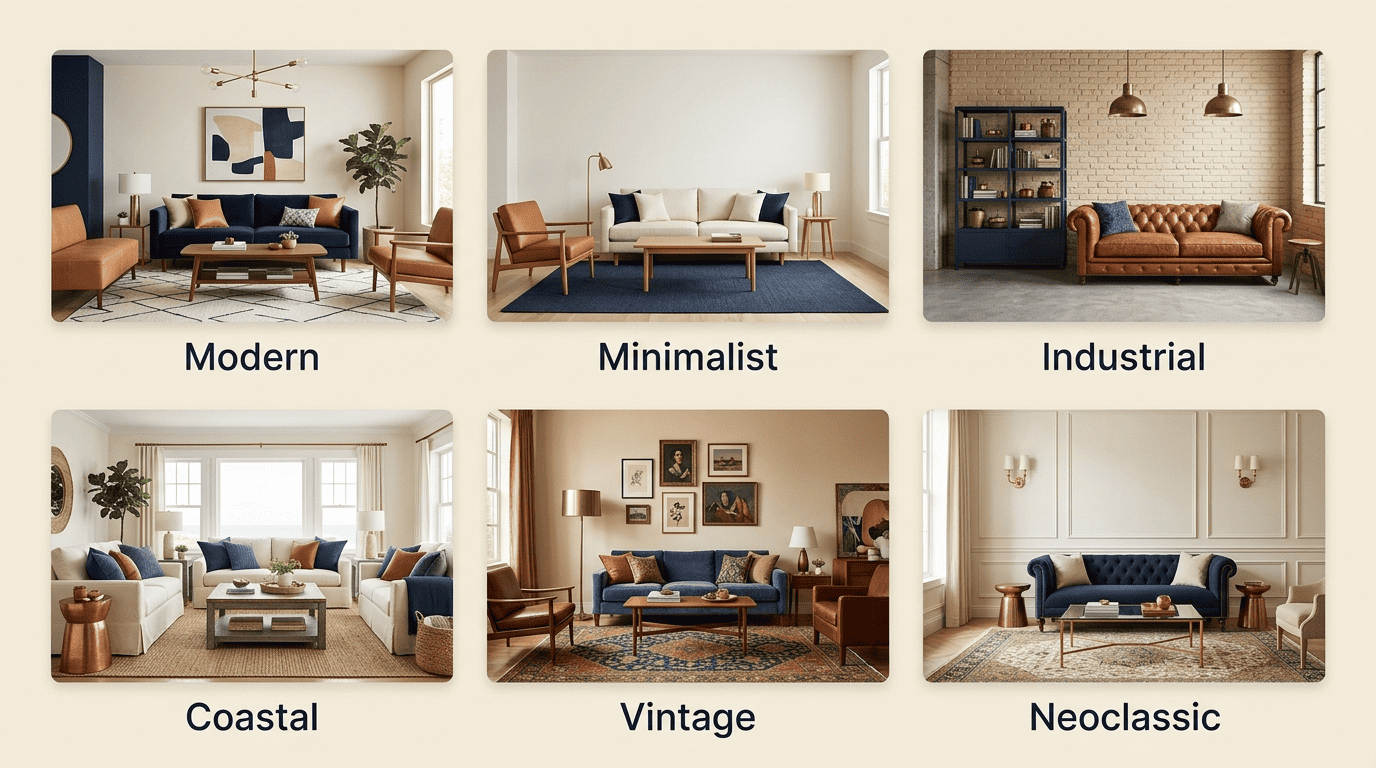
Design themes
Reviewers commonly list 10 design themes available on RoomGPT:
- Modern
- Neoclassic
- Industrial
- Tropical
- Professional
- Minimalist
- Coastal
- Vintage
- Tribal
- Summer
You can also apply up to four styles to the same photo in one run, though each additional style beyond the first consumes its own credit.
Room types
Beyond the living room, RoomGPT’s room-type selector typically covers:
- Living Room
- Dining Room
- Bedroom
- Bathroom
- Office
- Kitchen
- Basement
- Outdoor Patio
- Gaming Room
RoomGPT Pricing: Free Credits vs Paid Plans
Free tier
New users get one free credit after signing in with Google, and one credit equals one room generation. RoomGPT keeps its exact free-tier terms behind the login screen and has changed them more than once — reviewers note that the free allowance used to be several generations per day before it was scaled back to a single credit — so it’s worth checking the live offer on roomgpt.io before assuming a number.
Paid plans
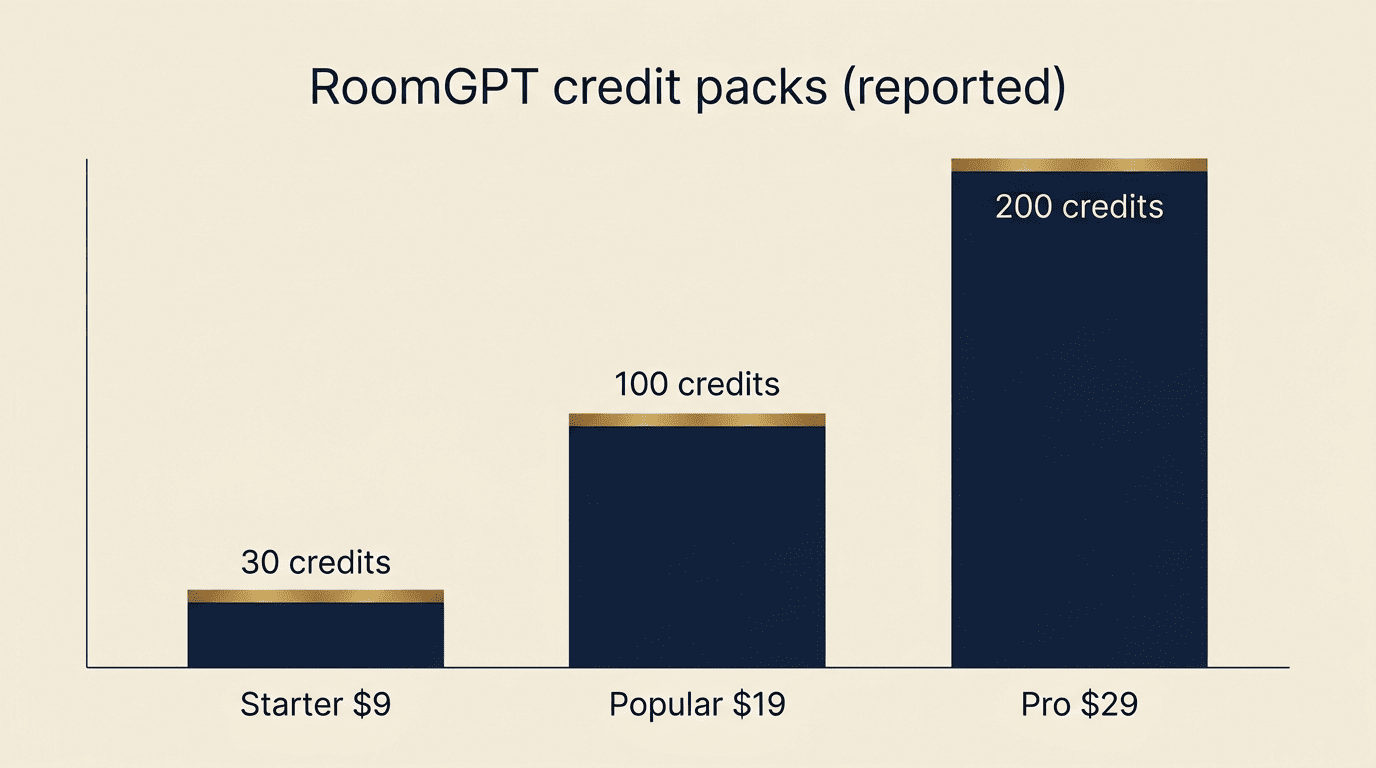
Once the free credit is used, RoomGPT moves to paid credit packs. The figures below come from third-party reviews rather than RoomGPT’s own pricing page, since the official plan prices sit behind login and can change without notice.
| Plan (as reported by reviewers) | Price | Credits | Notes |
|---|---|---|---|
| Starter | $9 | 30 credits | Entry-level pack for occasional use |
| Popular | $19 | 100 credits | Mid-tier, most cited as best value |
| Pro | $29 | 200 credits | Highest credit count per dollar |
Historical listings have also put monthly subscriptions anywhere from $10 to $30, and RoomGPT has run limited-time promo codes such as FLASH60 and BF30, both advertised at 60% off. Paid plans typically add commercial usage rights, priority processing, and early access to new features — perks that free-tier users don’t get.
How RoomGPT Works Under the Hood (Open Source Roots)
The open-source project
Before it became a paid SaaS product, RoomGPT existed as an open-source project released under the MIT license. The repository is still public on GitHub at Nutlope/roomGPT, and it has accumulated roughly 10,600 stars — a sign of how many developers cloned it to study or self-host their own version.
The tech stack
The stack behind the original build is fully documented in the repo’s README. RoomGPT was built with Next.js, TypeScript, and Tailwind CSS on the frontend, with the actual image transformation handled by the ControlNet machine learning model running on Replicate. Image uploads and storage go through Bytescale, and the whole application deploys on Vercel with an optional Upstash Redis layer for rate limiting. The current roomgpt.io product is a paid SaaS layer built on top of these same underlying ideas, not a from-scratch rebuild.
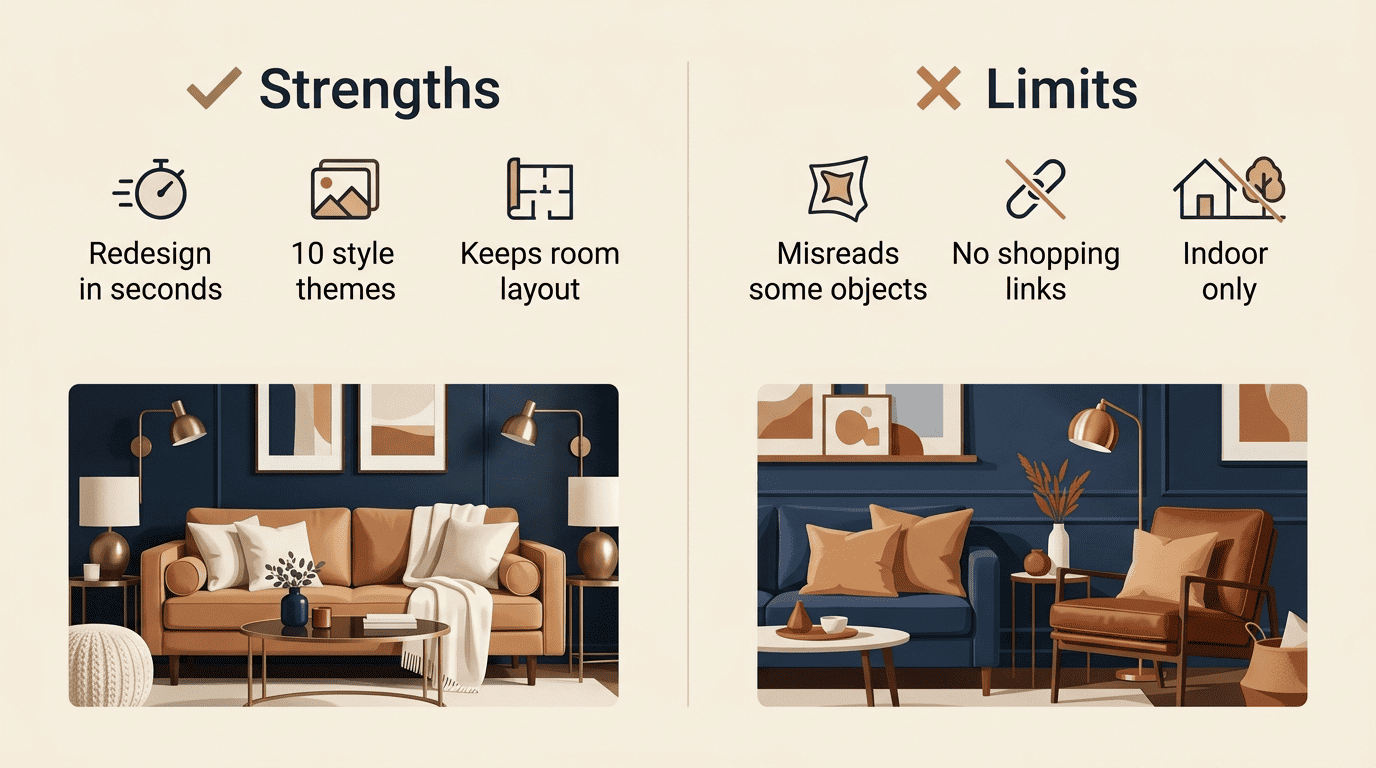
Strengths and Limits for Living Room Redesign
What it does well
- Generates a full redesign in seconds rather than requiring a design consultation.
- Offers 10 design themes to try against the same photo.
- Runs entirely in the browser — no app download or install required.
- Preserves the room’s actual layout, so windows and walls stay where they are.
- Lets you apply up to four styles in a single pass.
- Shows a direct before-and-after comparison for each generation.
Where it falls short
- Sometimes misreads objects in the photo — a wardrobe can be rendered as a door, or a bookshelf turned into a piece of furniture that isn’t there.
- Doesn’t link out to buy the furniture or decor it generates, so there’s no shopping path from result to purchase.
- Works on interiors only — there’s no outdoor or exterior redesign mode beyond the patio room type.
- Offers limited fine-tuning; you can’t nudge specific elements without regenerating the whole image.
- Won’t regenerate the same result for free if you’re unhappy with it — each attempt uses another credit.
RoomGPT Alternatives for Living Room Design
The main alternatives
| Tool | Free tier | Styles | Room types | Commercial use |
|---|---|---|---|---|
| RoomGPT | 1 credit on sign-in | 10 | 9 types | Paid plans only |
| RoomsGPT | Free daily credits, no signup | 61+ | Multiple | Varies by plan |
| REimagineHome | Free tier available | Multiple | Multiple | From $14/mo |
| InteriorAI | No free tier | Multiple | Multiple | Paid plans |
| Virtual Staging AI | Limited/trial | Multiple | Multiple | From $16/mo |
RoomsGPT positions itself as a lighter-weight AI room design tool: it advertises 61-plus styles and free daily credits without requiring an account, which makes it worth a look if you don’t want to sign in at all. REimagineHome and InteriorAI sit in a similar bracket to RoomGPT, with free tiers gated behind limited credits and paid plans starting around $14 a month. Virtual Staging AI leans more toward real estate listing photos than personal redesign browsing.

If you’d rather talk through ideas than pick from a fixed style list, a conversational assistant covering RoomGPT living room questions and broader interior planning can walk you through options interactively instead of handing back one static image per credit.
When to pick which
RoomGPT suits a fast, one-off redesign when you already have a room photo and just want to see it in a new style. RoomsGPT is the better pick if registering an account is a dealbreaker. And if you want more of a back-and-forth planning process rather than a single static output, an AI room design assistant like Homivo can walk through style ideas, budget trade-offs, and room-specific suggestions in a conversation rather than a one-shot image swap.