
Free AI Living Room Design: How to Redesign Your Space Without Paying a Cent
Yes, you can fully redesign your living room with free AI living room design tools — just upload one photo and let the model handle the rest. But “free” means something different at every tool: some cap you at a few daily renders, some tack on a watermark, and a few genuinely let you generate without ever creating an account.
This guide compares the tools that are actually free, shows exactly where the free tier stops and the paywall starts (credits, watermarks, resolution), lists the no-signup options, and gives you a straight workflow to get a usable result without spending anything.

Yes, You Can Design Your Living Room With AI for Free
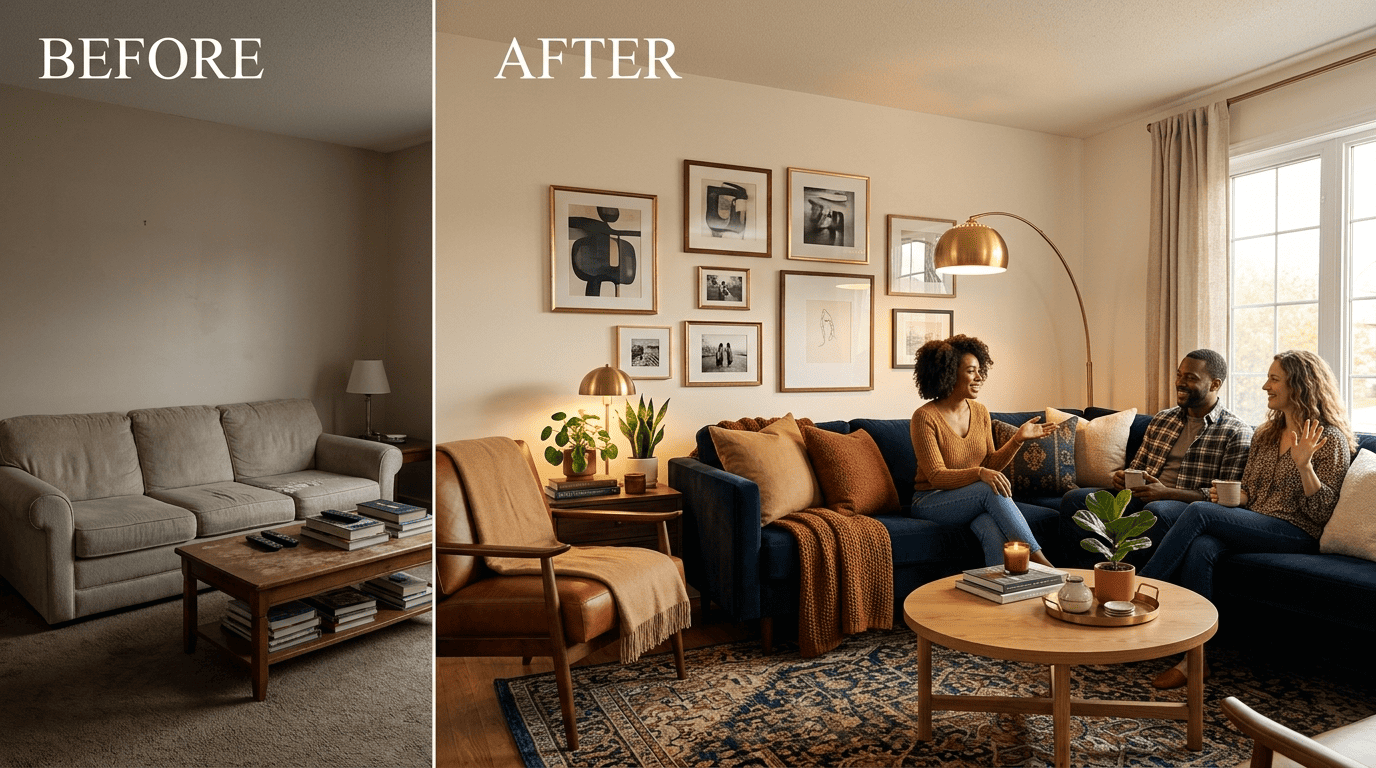
Free AI living room design is a branch of AI interior design: instead of hiring someone to sketch mood boards, you feed a photo of your actual room into a generative model and it repaints the space in a new style in seconds. RoomGPT, one of the tools that popularized the format, has been used by more than 4 million people — upload a photo, pick a style, get a redesign, no design degree required. According to the Wikipedia entry on interior design, the traditional process involves space planning, material selection, and coordination that a professional typically charges for across weeks of work. A living AI redesign compresses that into under a minute and costs nothing on the free tier.
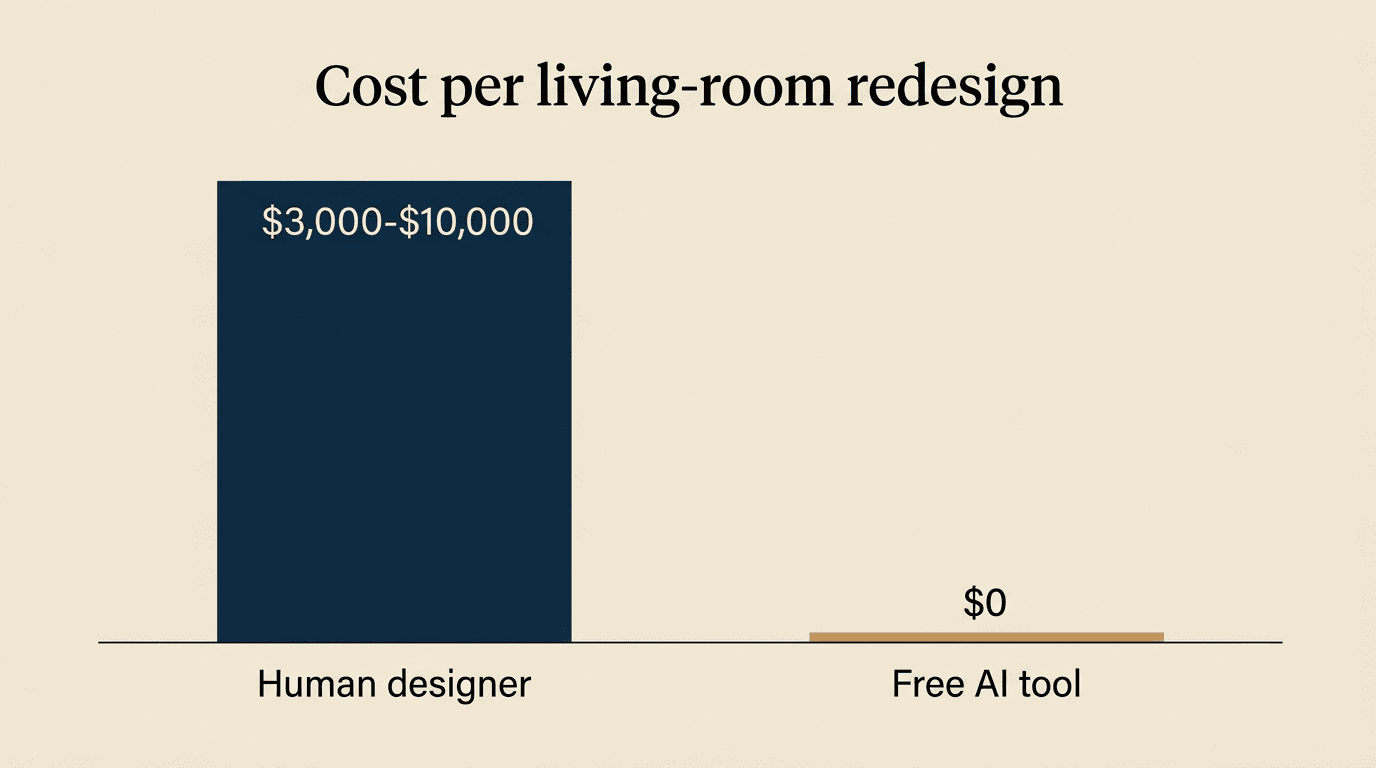
The technology behind it is generative AI — models trained to transform an input image according to a text or style prompt while preserving the room’s layout and architecture. Many of these tools run on diffusion models, the same family of image-generation systems described on Wikipedia’s diffusion model page. Compare the economics: a traditional interior designer runs $3,000–$10,000 per room, while an AI-generated concept costs $0 on a free plan. The AI version won’t source furniture or supervise contractors, but for visualizing “what could this room look like,” it does the job a paid designer would charge thousands for.
What “free AI living room design” actually means
In practice, “free” describes the same basic loop everywhere: you upload a photo of your living room, the AI (usually a diffusion-based model) analyzes the layout, and it renders the space back to you in the style you picked — Modern, Scandinavian, Minimalist, and so on — within seconds to about a minute. No sketching, no measurements, no waiting for a callback from a designer.
The catch: “free” has three flavors
Not every “free” claim behaves the same way once you start using the tool. Before comparing individual products, it helps to know the three shapes free plans tend to take:
- Free-forever with limits — the tool never asks for payment, but caps you on daily credits, styles, or resolution indefinitely.
- Free trial — a fixed number of renders (often 3) before you hit a paywall for anything further.
- Freemium with credits — you get a starting credit balance; basic renders cost less than high-quality ones, and credits refill slowly or not at all without upgrading.
Knowing which flavor a tool uses tells you what to expect before you upload a single photo.
The Best Free AI Living Room Design Tools (Compared)
Several tools currently offer a genuinely usable free tier for living room redesigns, and they differ mainly in signup requirements, watermarking, and how many styles you get before hitting a wall.
Free-tool comparison table
| Tool | Free tier | Signup? | Watermark? | Styles | Best for |
|---|---|---|---|---|---|
| RoomsGPT | Free daily credits | No | No | 61+ | Style variety, before/after compare |
| Decoratly | 2 rooms free (up to 6 redesigns) | No | No | 3 free / 85+ Pro | Watermark-free downloads |
| Home Design AI | 1 credit basic / 4 credits HQ | No | Varies by plan | 9–12 | No-account quick tries |
| MyArchitectAI | 10 free full-quality renders | No | None on free renders | Text-to-image | No-watermark free renders |
| Spacely AI | Free trial, no card required | Yes | Varies by plan | Multiple | SketchUp-linked workflows |
| Bing Image Creator | Free via reward/boost points | Yes (Microsoft account) | No | Text-prompt based | Text-to-design experiments |
| Homivo | Free AI living room designer | No | No | Multiple presets | Fast photo-based redesigns |
Quick shortlist (list)
If you just want names to try right now, here’s the short version:
- RoomsGPT — free daily credits, 61+ style presets, no signup required.
- Decoratly — 2 rooms free (about 6 redesigns total), no watermark on downloads.
- Home Design AI — no signup, no login, no account; runs on a small credit allowance.
- MyArchitectAI — 10 free full-quality renders with no watermark and no signup; commercial rights apply to Pro subscribers.
- Spacely AI — free trial with no credit card, plus a SketchUp extension for planners.
- Bing Image Creator — free through Microsoft’s reward-point system, good for text-to-design experiments.
Homivo’s free AI living room designer follows the same upload-photo-pick-style loop, aimed specifically at getting a usable living room concept without needing to compare five different apps first.
Free vs Paid: Where the Free Tier Ends
Every tool draws its free/paid line somewhere — usually across credits, watermarks, or resolution, and sometimes across all three at once. Free tiers exist to demonstrate a model’s quality and are limited by design: a credit system caps how many redesigns you get per day, and that same free tier may add a visible watermark or reduced resolution to encourage upgrading.
What you get free vs what you pay for
| Feature | Free plan | Paid plan |
|---|---|---|
| Renders/credits | Limited daily allowance (e.g., 1 credit per basic render) | Higher or unlimited credit pool |
| Styles | 3–12 presets on entry-level free tiers | 60–85+ presets |
| Resolution/quality | Standard, sometimes capped | High-quality (e.g., 4 credits/render) |
| Watermark | Present on some tools, absent on others (Decoratly: none) | Always removed |
| Commercial use | Usually not permitted | Usually included |
| Batch/variations | 1 variation per generation typical | Multiple variations per prompt |
| Speed/priority | Standard queue | Priority processing |
Pricing for comparison: VisualizeAI gives roughly 3 free renders before switching to about $19/month, and HomeVisualizerAI gives 3 free renders before around $12/month. Decoratly’s paid Pro tier starts at $3.99.
The three limits that trip people up (list)
Three things quietly separate a genuinely free experience from a frustrating one:
- Credits and daily caps. Home Design AI charges 1 credit for a basic render but 4 credits for a high-quality one — burn through your daily allowance on HQ tries and you’re locked out until it refreshes.
- Watermarks. Some free plans stamp a visible watermark on your download; others don’t. Decoratly specifically markets a no-watermark free tier as a differentiator, which tells you it’s not the default across the category.
- Resolution caps. Free renders often ship at a lower resolution than what you’d get on a paid plan, which matters if you plan to print or zoom into detail.
Before you commit to one tool, it’s worth trying the free AI living room designer on Homivo alongside a couple of the options above — comparing two or three free outputs side by side usually reveals which style engine matches your room best.
No-Signup & No-Login Options
Not every free tool asks for an email address. A meaningful subset of the category — including Home Design AI, RoomsGPT, and Decoratly — lets you generate and download without creating an account at all.
Tools you can use without an account (list/checklist)
- Home Design AI — no signup, no login, no account required at any step.
- RoomsGPT — no signup required; free daily credits apply automatically.
- Decoratly — no login, no credit card, no watermark on the free tier.
One caveat: “no signup” doesn’t always mean zero friction. Some tools marketed as free betas still ask for a magic-link email before you can generate — so “no signup” is worth double-checking rather than assuming.
Trade-offs of no-signup (short)
Skipping the account also means skipping the history — without a login, most of these tools won’t save your redesigns between sessions, so download each result immediately rather than planning to come back for it later.
How Free AI Living Room Design Works (Step by Step)
The workflow is nearly identical across every tool in this category, whether you’re using a no-signup option or a freemium one with an account.
The 5-step workflow (numbered list)
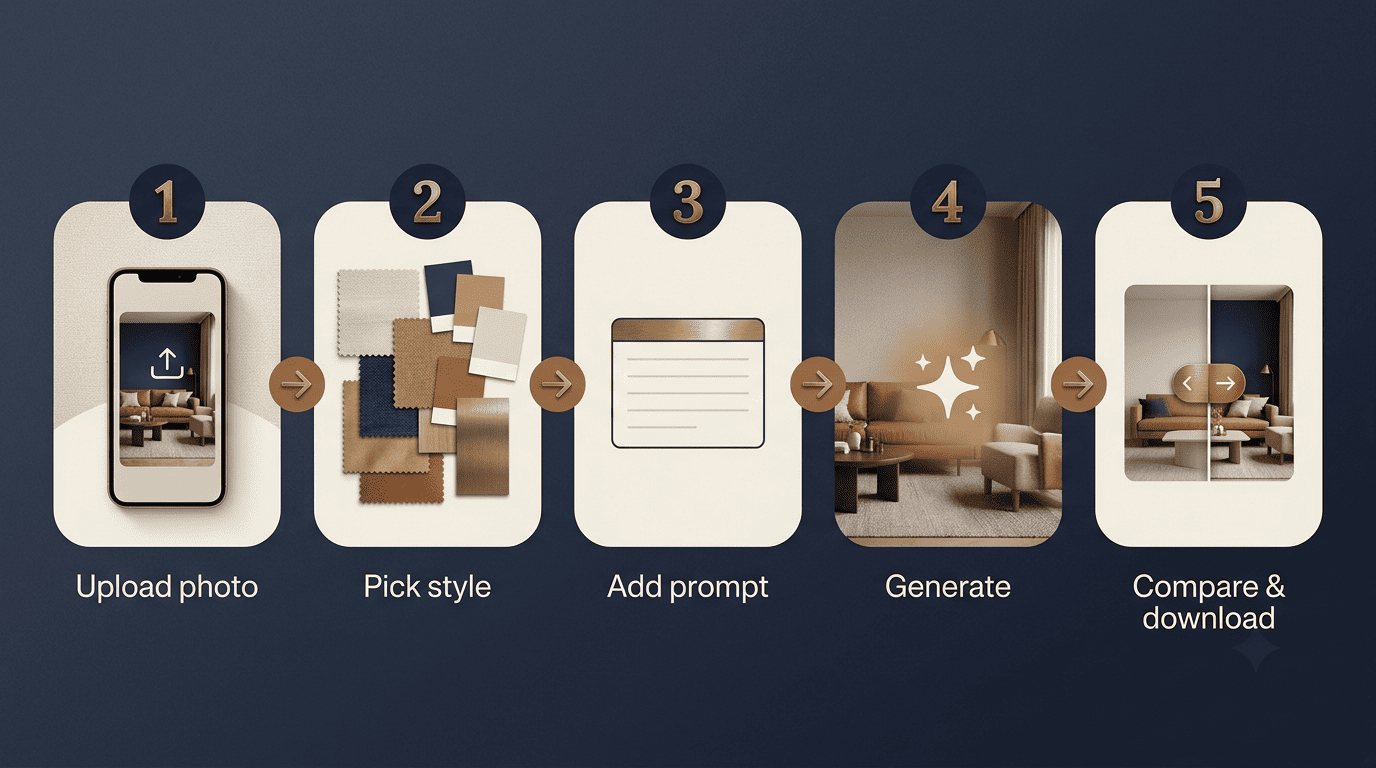
- Upload a photo of your living room — PNG or JPG, typically capped around 10MB, shot in good, even lighting.
- Pick a style preset — Modern, Scandinavian, Minimalist, Industrial, Bohemian, Luxury, and similar options are standard across tools.
- Add an optional text prompt — some tools (MyArchitectAI, Bing Image Creator) support text-to-design if you want to describe specific changes beyond the preset.
- Generate 1–4 variations — this typically takes roughly 30–60 seconds per render.
- Compare before/after and download — most tools offer a drag-slider comparison so you can judge the redesign against your original room before saving it.
Image-to-design vs text-to-design (short)
There are two distinct modes worth knowing apart. Image-to-design uploads your actual room and preserves its layout, furniture placement, and architecture while restyling the surfaces and decor. Text-to-design builds a room concept from scratch based on a written description, with no obligation to match your real space — useful for inspiration, less useful if you need something that fits your actual walls and windows.
How to Get Great Free Results (Without Paying)
Free tools reward a bit of prep work — a better input photo and a more specific prompt consistently produce a cleaner output, even on the smallest free tier.
Shoot in daylight, from a corner. A photo taken in natural daylight from a room corner captures more of the space and gives the model a fuller layout to work with than a straight-on close-up.
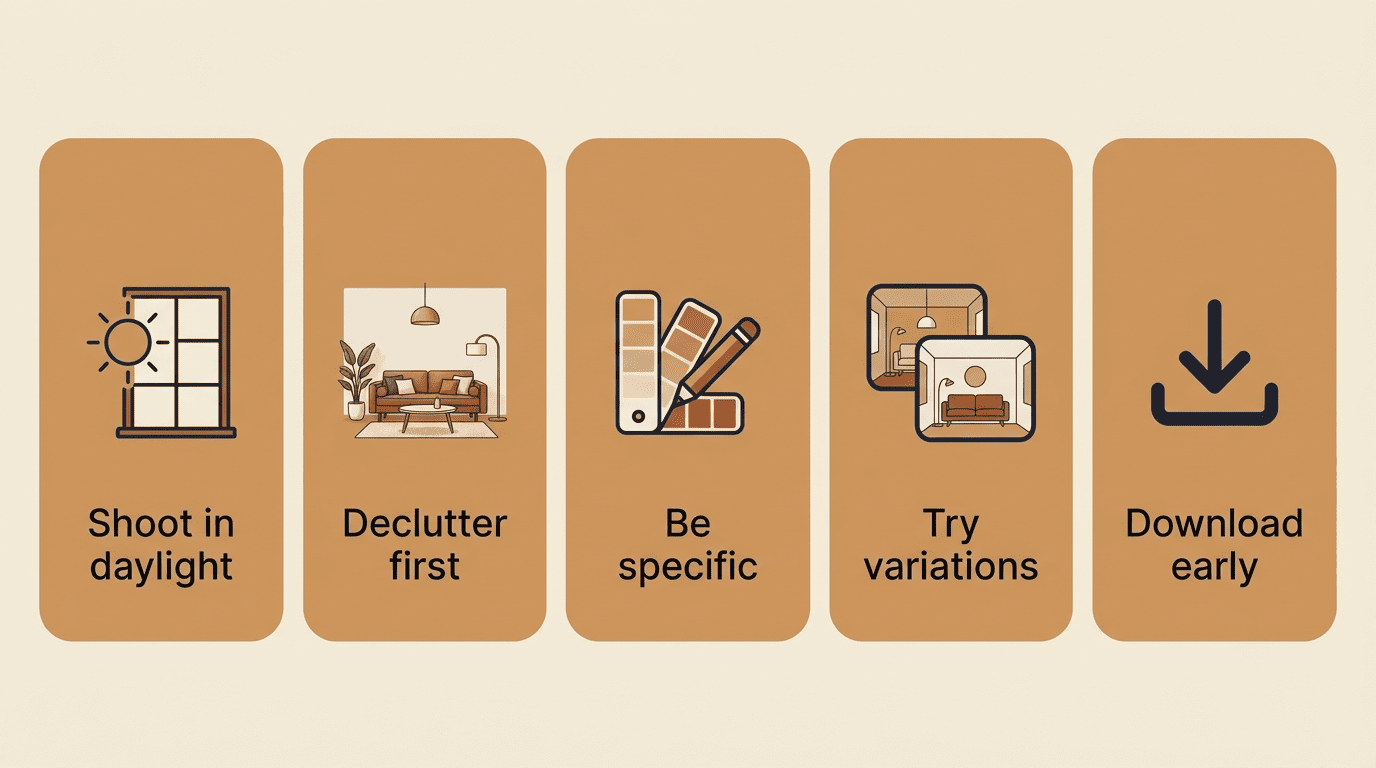
Clear visible clutter first. Loose items, cables, and clothing lying around confuse the model’s read on furniture and surfaces, so a tidied room before the photo produces a cleaner redesign.
Be specific in your prompt or style choice. Naming materials, colors, and lighting (“warm oak floors, sage-green accent wall, brass fixtures”) gets closer to what you actually want than a generic style label alone.
Generate a few variations and iterate. RoomsGPT, for example, supports iterating on a result rather than accepting the first render — running a second pass on the same photo often refines details the first attempt missed.
Combine two free tools. Use one tool for photo-based redesign and a text-to-image tool like Bing Image Creator for pure style inspiration, then bring the best ideas back into your photo-based render.
Download before your daily credits reset. Save every result you like immediately — free-tier credits typically don’t roll over, so a render you don’t download today may not be easy to reproduce tomorrow.
If you’d rather skip the tool-hopping, Homivo’s own AI living room designer bundles photo upload, style presets, and iteration into one free flow without needing to juggle two separate apps.
Free AI vs hiring a human designer (short + mini compare)
A traditional interior designer typically costs $3,000–$10,000 per room and takes weeks to deliver concepts, revisions, and sourcing. A free AI tool delivers a visual concept in seconds for $0 — but it stops at the image. It won’t source furniture, negotiate with contractors, or manage installation. Treat AI redesigns as the idea and visualization stage, not a replacement for the people who actually execute a renovation.
Generative artificial intelligence (GenAI) is a subfield of artificial intelligence (AI) that uses generative models to generate text, images, videos, audio, software code or other forms of data.
Wikipedia, Generative artificial intelligence
That’s exactly what’s happening under the hood every time a free tool turns your living room photo into a new style in under a minute — no studio, no invoice, no waiting on a callback. The remaining questions below cover the specifics people usually run into once they start comparing tools.