
AI Virtual Staging for the Living Room: The Complete 2026 Guide
AI virtual staging digitally furnishes an empty living room in a listing photo so buyers can picture themselves in it, and it does so for a fraction of the cost of physical staging. Tools built for AI living room design turn a bare, echoing box of a room into a warm, lived-in space without a single sofa ever being moved through the front door.

But virtual staging of a living room carries a real ethical obligation: every edited photo has to be disclosed under the rules that govern MLS listings. This guide covers what AI virtual staging actually is, how it differs from physical staging and virtual renovation, what it costs, and how to stay compliant while using it.
What Is AI Virtual Staging of a Living Room?
AI virtual staging takes a photo of an empty or sparsely furnished living room and digitally adds photorealistic furniture, rugs, art, and lighting, without anyone renting or delivering a single physical item. According to Wikipedia’s entry on home staging, staging in general is the practice of preparing a private residence for sale, and virtual staging is the digital branch of that practice built specifically for listing photography.
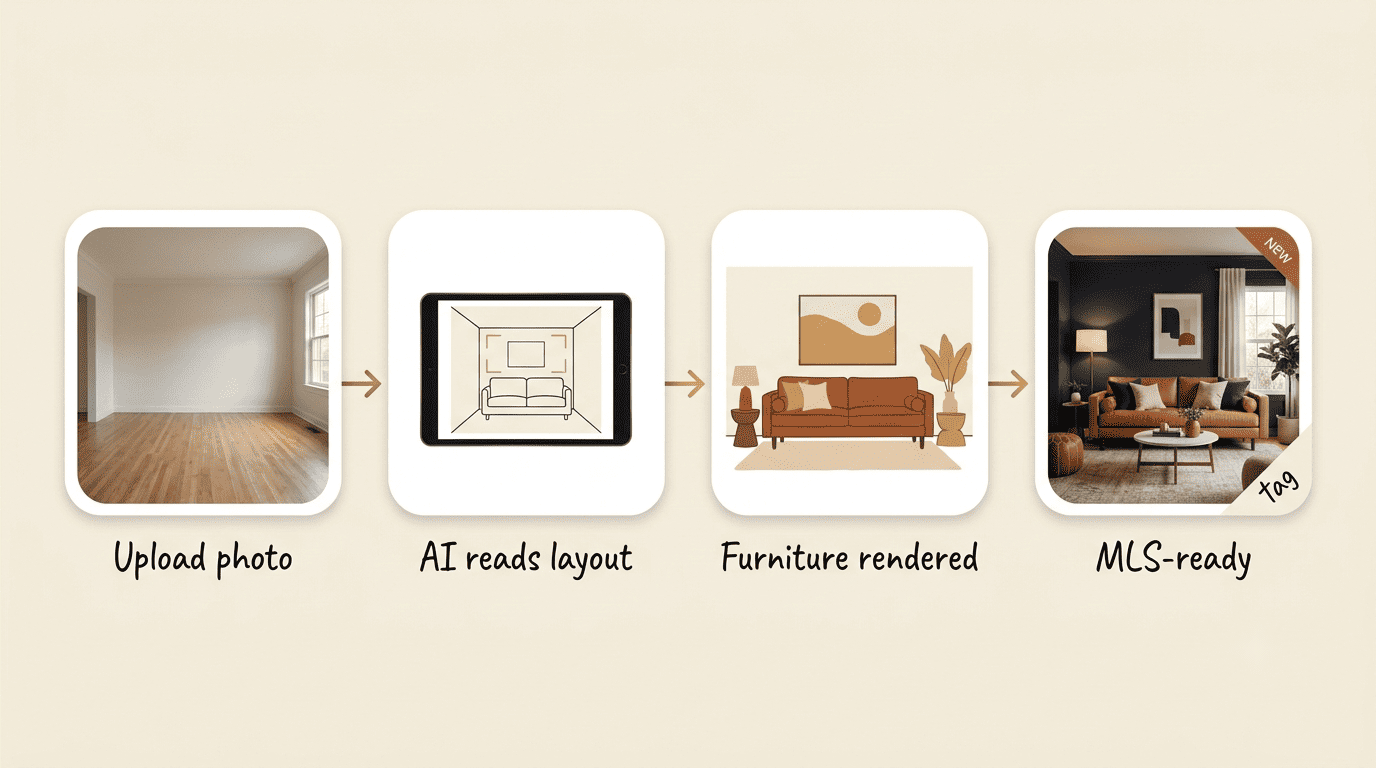
How it works, step by step
- Upload a photo of the vacant living room.
- The AI detects the room type, dimensions, and layout from the image.
- It selects furniture proportioned to fit the actual space.
- It renders a sofa or sectional, coffee table, area rug, accent chairs, art, and lighting in the chosen style.
- It returns an MLS-ready image, with rendering that takes anywhere from under five seconds to under a minute depending on the tool.
- The listing agent reviews the result and adds the required disclosure watermark before publishing.
No furniture is moved, and the underlying structure of the room, its walls, windows, and flooring, stays untouched.
Why the living room specifically
The living room is arguably the most consequential room to stage. It’s the first “lived-in” space a buyer scrolls to after the exterior shot, and it sets the emotional tone for the rest of the listing. What AI typically adds to a living room includes:
- A sofa or sectional sized to the room’s actual footprint
- A coffee table and area rug to anchor the seating area
- Accent chairs or a reading nook
- Wall art and mirrors
- Table and floor lamps for warmth
- Plants or small decor accents
Empty vs Furnished: Why Stage the Living Room at All?
An empty living room photographs colder and smaller than it actually is, and it forces buyers to do mental math they’d rather not do.
The empty-room problem
Buyers scrolling through listings can’t easily judge scale in an empty room. Will their sectional fit against that wall? Is there room for a media console and a rug, or just one or the other? Without visual cues, the room reads as smaller than its square footage suggests, and vacant listings tend to sit on the market longer while buyers struggle to picture themselves there.
What staging changes
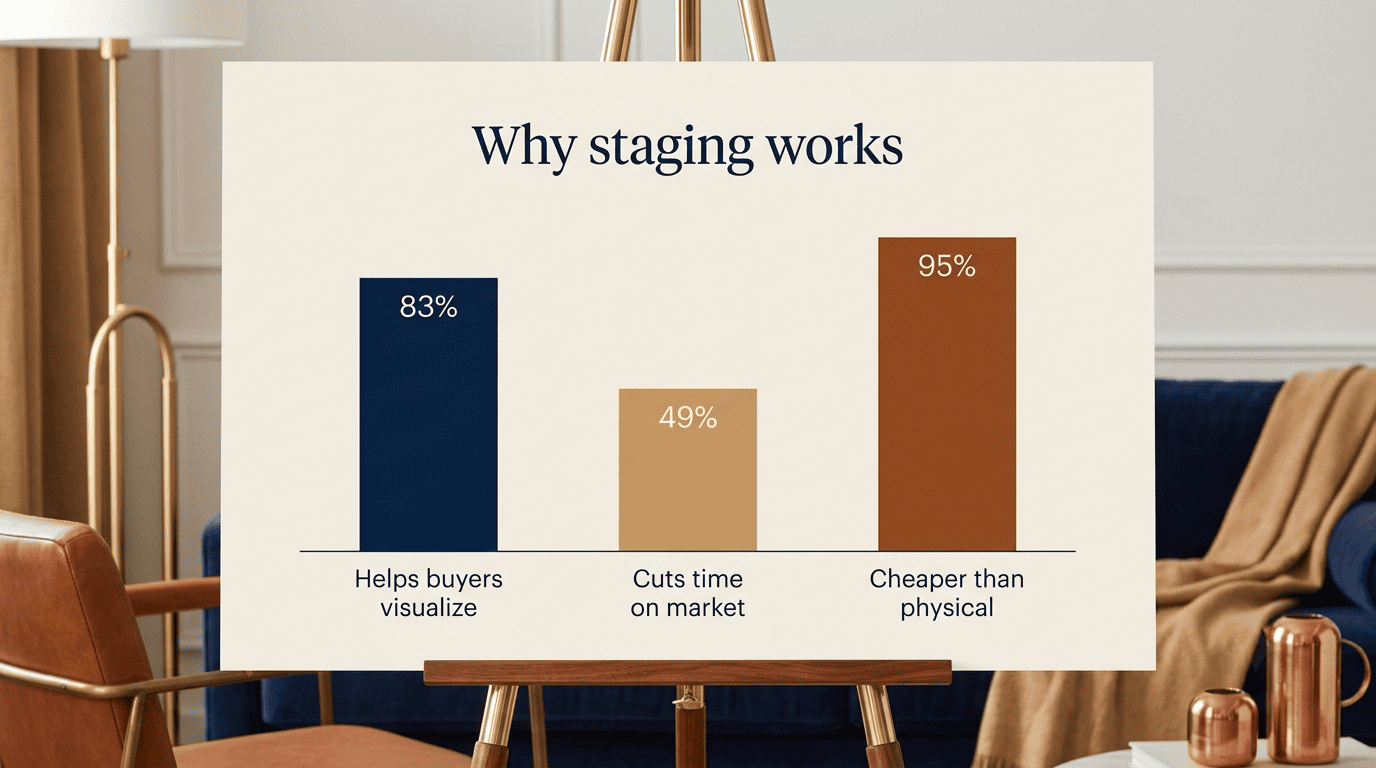
Staging closes that visualization gap. In its 2025 Profile of Home Staging report, the National Association of Realtors found that 83% of buyers’ agents said staging made it easier for a buyer to picture a property as their future home, and almost half of sellers’ agents observed that staging reduced the time a home spent on the market. U.S. News Real Estate reports that virtually staged listings tend to draw more online views than non-staged ones, translating into more showing requests.
| Metric | Empty Living Room | Virtually Staged Living Room |
|---|---|---|
| Buyer ability to judge scale | Low, no reference points | High, furniture shows proportion |
| Typical time on market | Longer | Shorter |
| Online engagement (views/showings) | Lower | Up to 40% more views |
| Offer strength | Weaker, harder to justify list price | Stronger, easier to visualize value |
| Emotional first impression | Cold, unfinished | Warm, move-in ready |
Virtual vs Physical Staging: Cost, Time, and Trade-offs
The cost and speed gap between virtual and physical staging is the single biggest reason AI staging has spread so quickly through real estate photography.
The cost gap is dramatic. Physically staging a living room, renting furniture and paying a stylist, typically runs from several hundred to a few thousand dollars per month for as long as the home sits on the market. Virtual staging starts at roughly a quarter of a dollar per photo, and most SaaS-style plans run somewhere between $16 and $59 a month for unlimited or bulk staging, a difference of up to 95% in total spend.
The turnaround gap matters just as much. A virtually staged photo can be ready in seconds to a few hours. Physical staging, by contrast, needs 24 to 48 hours or more just to schedule delivery, plus weeks of furniture rental for the duration of the listing.
The honesty gap is the trade-off worth understanding. Virtually staged furniture isn’t actually in the room when a buyer walks in for a showing, which is precisely why disclosure rules exist, covered in the next section, and it’s a limitation physical staging doesn’t have.
| Factor | Virtual Staging | Physical Staging |
|---|---|---|
| Cost | From ~$0.24/photo; $16–$59/mo plans | Hundreds to thousands per month |
| Turnaround | Seconds to a few hours | 24–48+ hours, weeks of rental |
| Realism at in-person showings | None, furniture isn’t physically there | Full, furniture is present |
| Flexibility to try styles | High, multiple styles per photo | Low, one physical setup |
| Disclosure requirement | Mandatory watermark and remarks note | Not required |
Disclosure & Ethics: The Rules You Cannot Skip
Every virtually staged living room photo has to be clearly labeled before it goes on the MLS, and skipping that step isn’t a minor formality.
What NAR and MLS require
The National Association of Realtors addresses this directly in its Code of Ethics. Article 12 requires that REALTORS present a true picture in their advertising and representations to the public.
REALTORS shall be honest and truthful in their real estate communications and shall present a true picture in their advertising, marketing, and other representations.
National Association of Realtors, Code of Ethics, Article 12
In practice, most MLS boards translate that principle into two concrete requirements: a visible watermark reading something like “Image Virtually Staged for Visualization,” commonly rendered at roughly 30–50% opacity so it doesn’t obscure the photo, and a note near the top of the listing remarks disclosing that photos have been digitally altered. NAR itself doesn’t set a fixed dollar penalty; individual MLS boards enforce it, and reported consequences range from a correction request on first offense to fines commonly cited in the $500–$5,000 range for repeat violations, with the listing pulled entirely in some cases until it’s corrected.
The do-and-don’t line
The core rule is simple: staging can add furniture to an empty room, but it can never misrepresent the property itself.
| Do | Don’t |
|---|---|
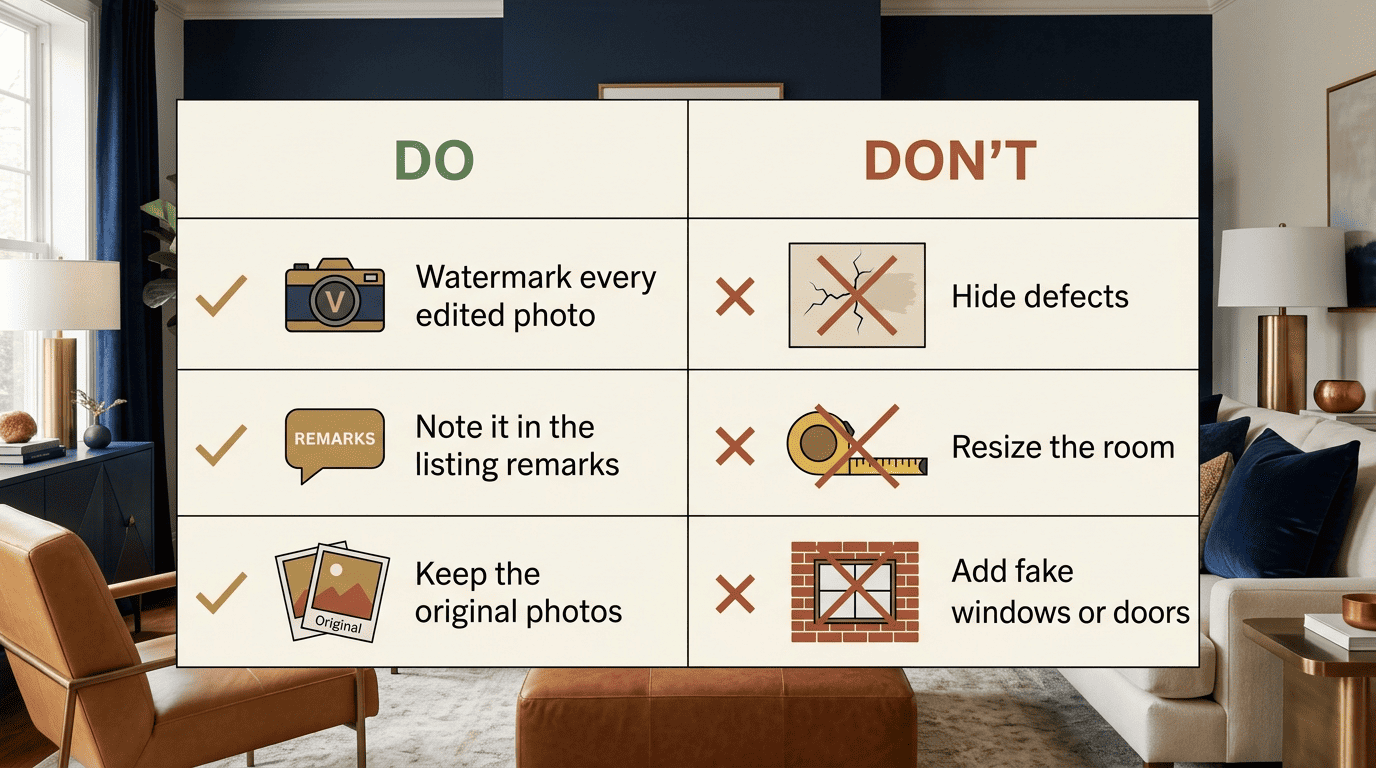
| Stage rooms that are genuinely empty or vacant | Hide structural defects, cracks, or water damage |
| Disclose every edited photo with a watermark | Resize the room or alter its true dimensions |
| Keep the original, unedited photos on file | Add windows, doors, or architectural features that don’t exist |
| Note staging in the listing remarks | Change flooring, wall color, or finishes in the photo |
| Reserve virtual staging for vacant rooms | Digitally edit an occupied room to misrepresent its real condition |
A quick disclosure checklist before publishing any listing that uses virtual staging:
- Watermark is visible and legible on every edited photo
- Listing remarks mention that photos are virtually staged
- Original unedited photos are saved and available on request
- No structural or condition-altering edits were made
- The MLS board’s specific staging disclosure policy has been checked, since wording requirements vary slightly by market
Virtual Staging vs Virtual Renovation (and Redesign)
Virtual staging, virtual renovation, and virtual redesign get lumped together constantly, but they carry very different disclosure risk.
Virtual staging only adds furniture and decor to a room whose structure is left completely untouched, walls, floors, and finishes all stay exactly as photographed. Virtual renovation, sometimes called virtual remodeling, goes further and changes the finishes themselves, swapping flooring, repainting walls, or replacing cabinetry in the image, which is why it carries a meaningfully higher misrepresentation risk under NAR’s truthful-advertising standard. Virtual redesign sits in between: it restyles a room that’s already furnished and occupied, rearranging or replacing existing decor rather than adding furniture to an empty space.
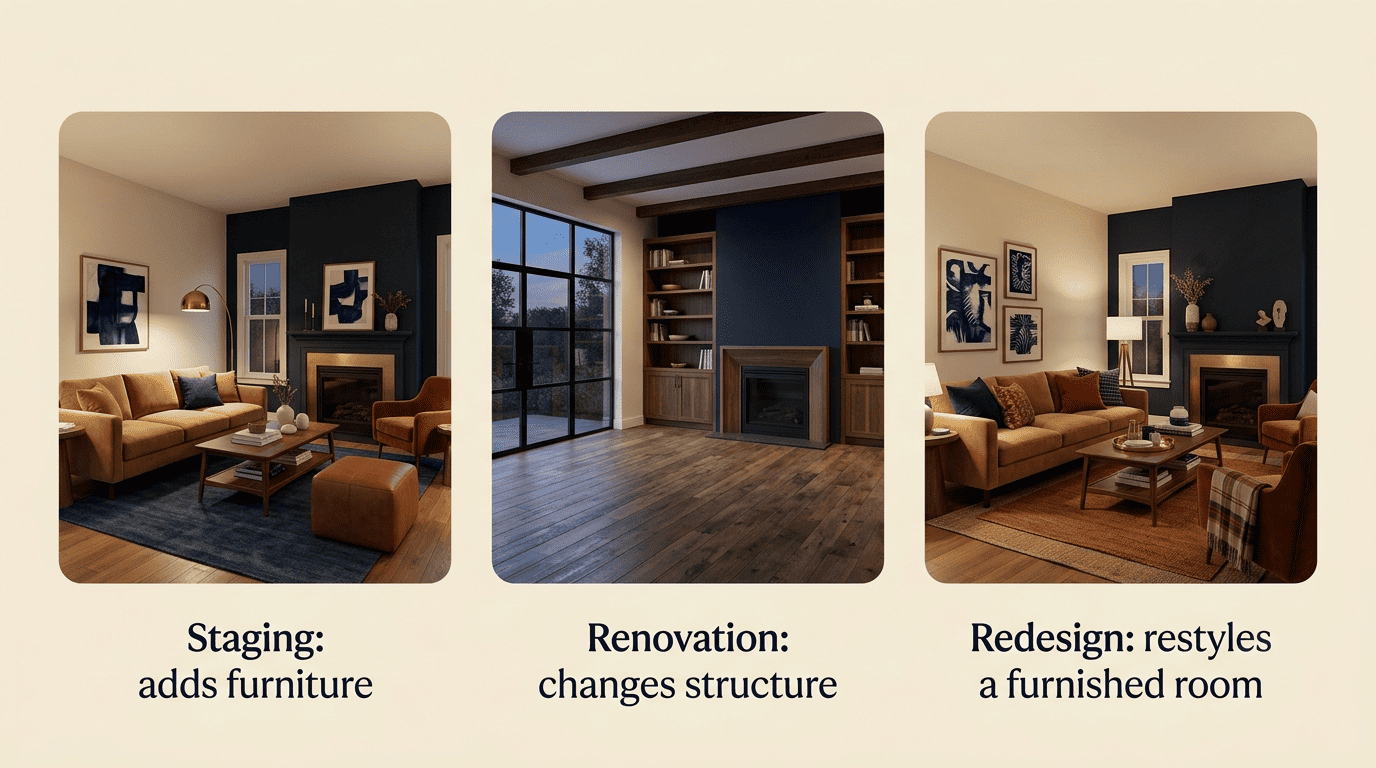
The distinction matters because a buyer who tours a home expects the structure they saw in photos, walls, floors, layout, to match reality. Furniture can be absent at a showing without deceiving anyone about the property itself; a floor that was digitally replaced in a photo cannot.
Best Practices for Staging a Living Room That Sells
Getting the technical disclosure right is only half the job. The staging itself needs to look believable and appeal to the widest possible pool of buyers.
Match the style to the home. A mid-century ranch staged in ornate traditional furniture reads as jarring; a Scandinavian or coastal palette generally works better for light, open living rooms, while transitional and farmhouse styles suit more traditional floor plans.
Keep furniture scale realistic. Buyers are silently measuring whether their own furniture will fit, so oversized sectionals in small rooms undercut trust even before anyone questions the photo’s authenticity.
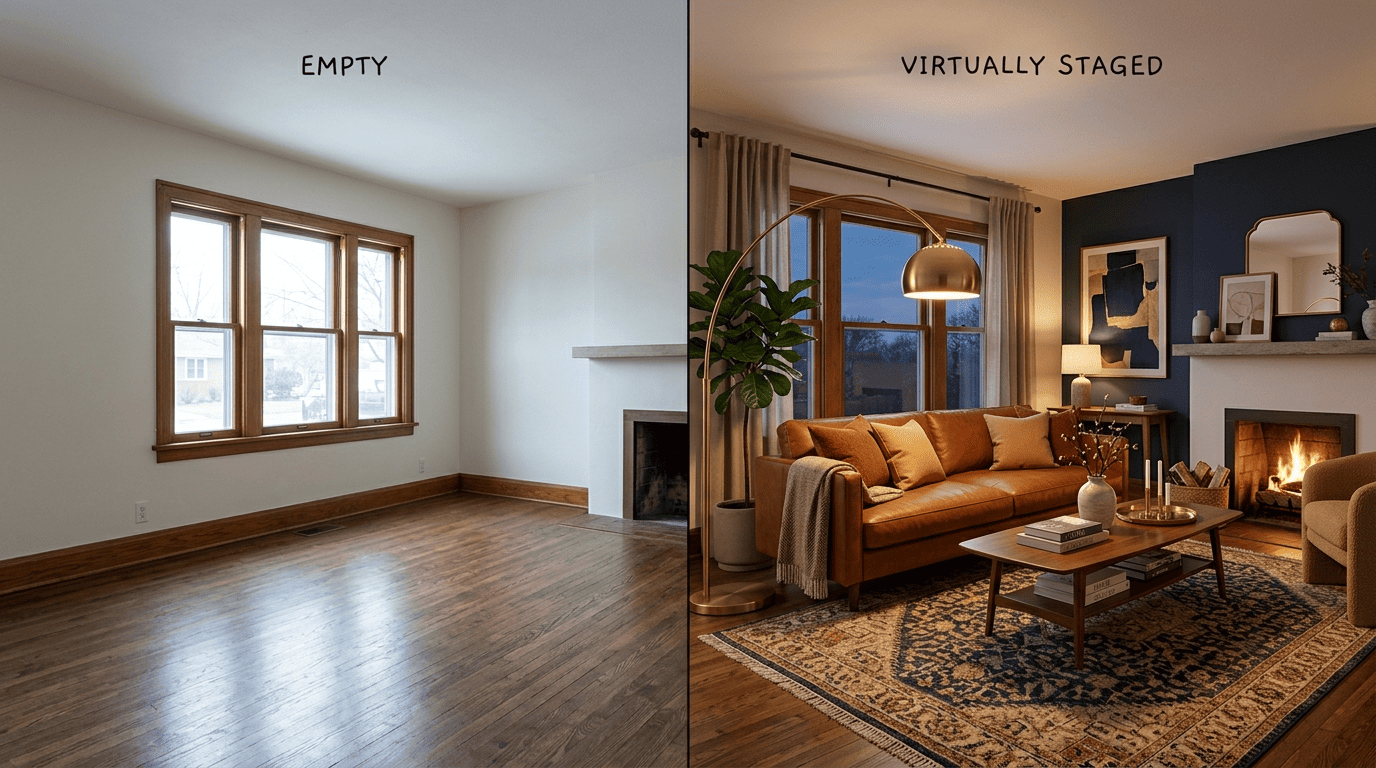
Don’t over-furnish. A cluttered virtual living room looks busy on screen and smaller in person; fewer, well-placed pieces read as more spacious.
Use a high-resolution, well-lit source photo. AI staging tools can only render convincingly onto a clean base image, so a blurry or poorly lit original photo undermines the whole result.
A short list of the most reliable style choices for living room staging in 2026:
- Modern
- Transitional
- Coastal
- Farmhouse
- Scandinavian